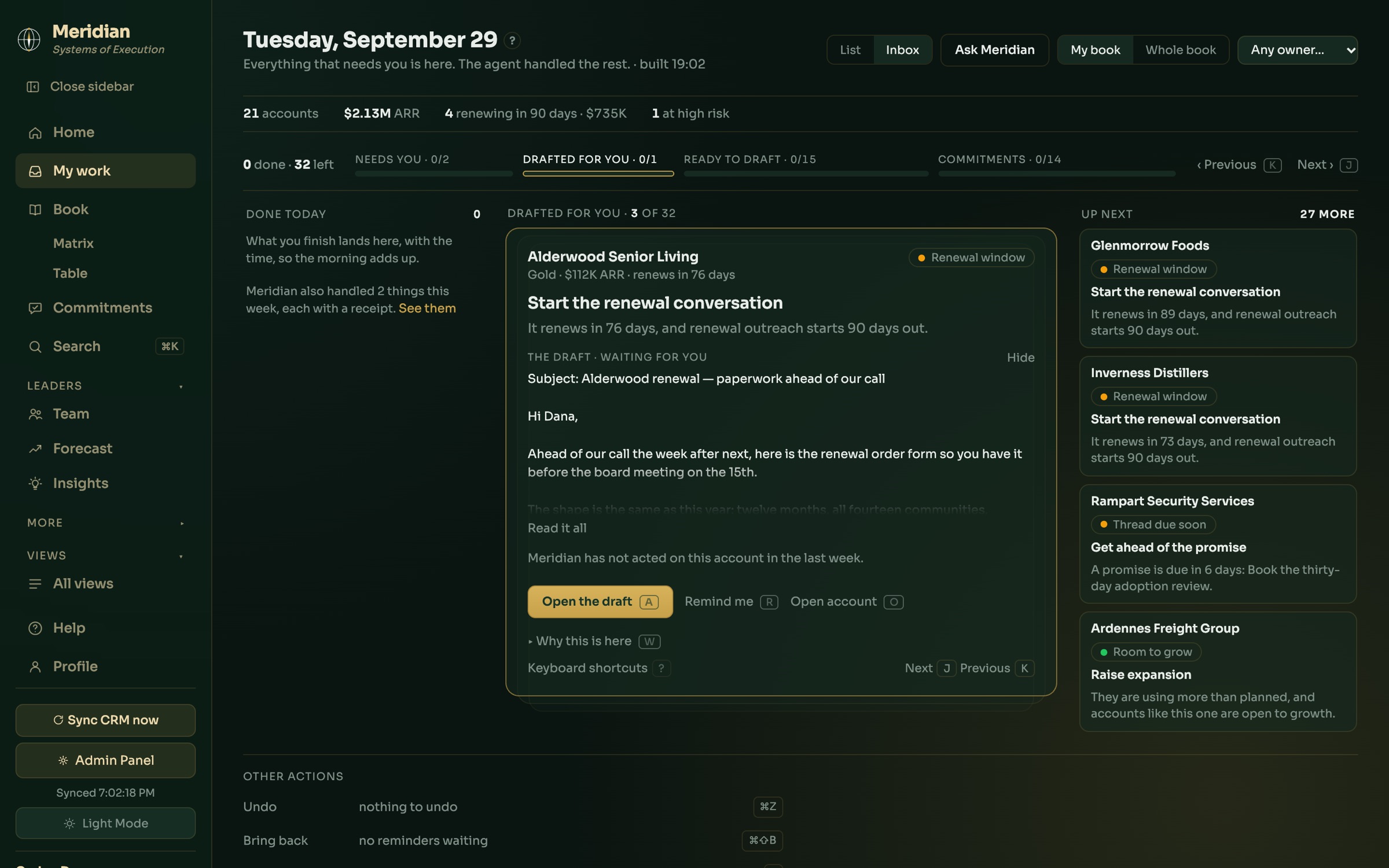
Shown with Meridian's demo customers. Every company and person on this page is invented.
How it works
Built on three ideas
Meridian reads, a person decides
It notes the promises made on calls and in email, watches for drops in health and usage, and puts what needs attention in front of the right person. Whether to act is always theirs.
Every automatic step leaves a receipt
When Meridian writes a draft, files a note or raises a flag, it records what it did and why, on the account. Nothing happens quietly.
Rules, not guesses
What counts as a risk, which accounts come first, and when feedback becomes a trend are decided by rules your team can read and change. The AI writes and reads; it never decides an account's fate.
The account page
Open an account and know where it stands in a minute.
Meridian writes a short brief from everything on record: what is going on, whether anything is worth worrying about, and what to do next. The figures and the account's journey against plan sit beside it.
- Calls, email and Slack filed on the right account
- Where the account sits against plan, and how it got there
- A fresh brief whenever you want one

Drafts
The follow-up, written in your voice. Sent only when you say.
When an account needs a message, Meridian drafts it from the thread and the record, and tells you why it exists. You approve it, change it, or throw it away. It goes from your own address, so the reply comes back to you.
- The reason for every draft, shown above it
- Approve, rewrite or discard
- Sent from your own email, or copied out

The list
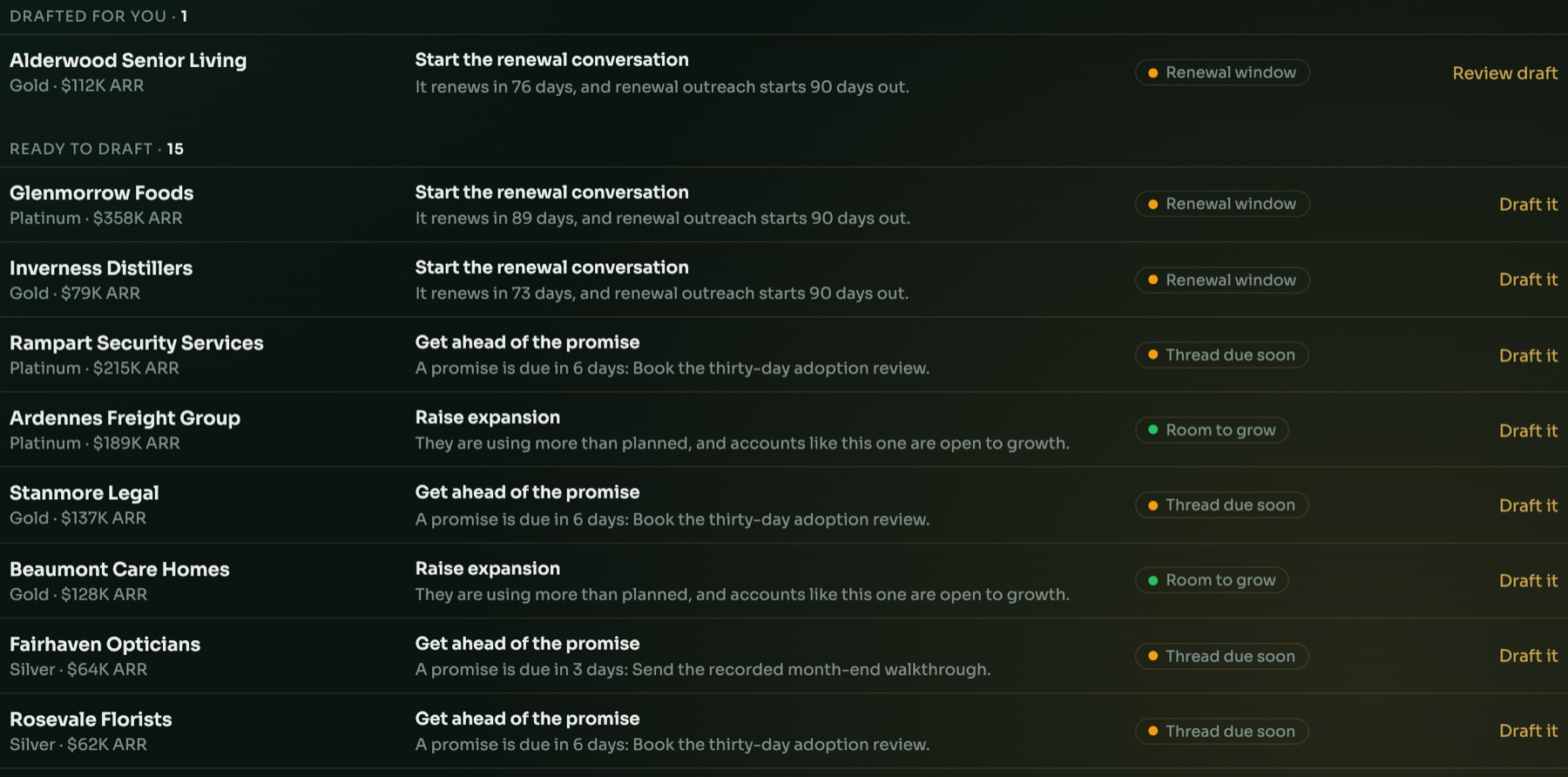
Renewals, promises and room to grow, in one list.
Prefer a list to a card? The same work sits in one view: what is ready to draft, what is waiting for you, and the reason each account is there. One click writes the draft.
- Renewals as they come into their window
- Promises due, before they are late
- Accounts using more than planned, ready for an expansion conversation
Connections
What it connects to
Meridian works from the tools your team already uses. Each connection is optional.
Your CRM
Accounts, owners, renewal dates and deals, read on a schedule. The CRM stays the record.
Calls
Recorded calls are read into the account they belong to: what was discussed, what was promised, what the customer said.
Google Workspace
With each person's permission, Meridian reads their customer email, sees their upcoming customer meetings, and sends the emails they approve from their own address. See the privacy policy for exactly what is read and kept.
Slack
A daily digest, nudges with one-click stop buttons, and shared customer channels read into the account.